
Introduction
Is your current TV setup giving you the freedom, quality, and convenience you really want? If you are still paying for an overpriced cable package, struggling with buffering, or stuck with a smart TV that barely runs its own apps, you are not alone. Millions of households are making the switch to a smarter, more flexible way of watching television — and the IPTV Box is at the centre of that shift.
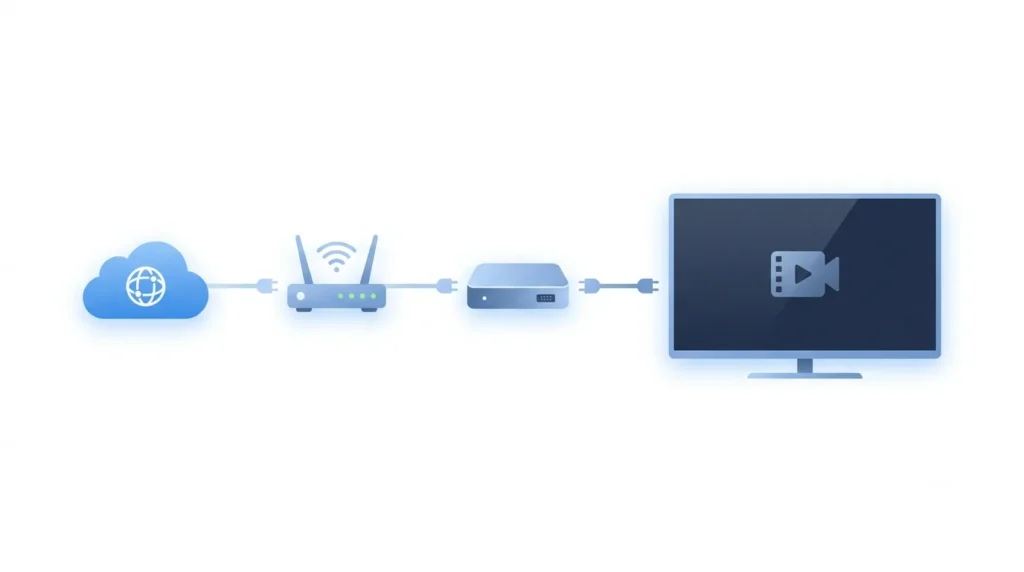
An IPTV Box is a compact streaming device that connects to your TV and delivers live channels, movies, sports, and on-demand content through your internet connection. Instead of relying on a satellite dish or a cable subscription, you stream everything directly over broadband. It is faster to set up, far more flexible, and often significantly cheaper in the long run.
In this guide, you will learn everything you need to know before buying one — including the key benefits, must-have features, a step-by-step setup guide, performance tips, common mistakes to avoid, and smart buying advice. Whether you are a first-time buyer or upgrading from an older streaming device, this article has you covered.
What Is an IPTV Box?
An IPTV Box — short for Internet Protocol Television Box — is a small media player that connects to your television and uses your internet connection to stream content. Think of it as a dedicated computer for your TV screen. It runs apps, plays video, and gives you access to live TV channels, sports events, films, and series without needing a cable or satellite provider.
Unlike a traditional cable or satellite set-top box, which receives signals through a physical cable or dish, an IPTV device pulls content from online servers. This means you can access thousands of channels and on-demand titles from anywhere, as long as you have a decent internet connection.
It is worth understanding a key distinction: the IPTV Box is the device, while an IPTV service or IPTV subscription is what provides the actual content. Buying the box alone does not automatically give you channels — you still need to subscribe to a streaming platform or a legal IPTV service separately.
How does it compare to alternatives?
- Cable or satellite TV: Requires physical infrastructure, long contracts, and limited channel control.
- Smart TV: Has built-in apps, but performance can be slow, and app support may be limited on older models.
- Streaming stick: Lightweight and cheap, but often less powerful and less flexible than a dedicated IPTV Box.
- Android TV Box: A type of IPTV Box running Android, offering wide app compatibility and customisation.
Legal Note: Always use legal IPTV services and licensed streaming platforms. Avoid unauthorised or pirated content sources, which can expose you to legal risk and security threats.
Why an IPTV Box Is an Amazing Streaming Upgrade
Switching to an IPTV Box offers tangible improvements over legacy TV setups. Here is why so many people are making the move:
- More channel variety: Legal IPTV services often carry thousands of channels from around the world, including international options that cable companies rarely offer.
- Greater flexibility: Watch what you want, when you want. Pause, rewind, or catch up on missed content without recording slots or rigid schedules.
- Cost-effective setup: After the initial cost of the device, many IPTV subscriptions cost a fraction of a standard cable bill. Families can cut spending while gaining more content.
- HD and 4K streaming: Modern IPTV boxes support high-definition and 4K streaming, delivering cinema-quality visuals in your living room.
- Wide app support: Beyond IPTV services, most boxes run popular apps like YouTube, Netflix, Prime Video, and Spotify, making them true all-in-one media players.
- Portability: Unlike satellite dishes or cable boxes tied to a room, an IPTV Box is compact enough to take on holiday or use in a hotel room.
- Works with older TVs: If your TV has an HDMI port, you can add smart TV functionality to any screen — no need to buy a brand-new television.
- Customisable experience: Users can choose their own apps, set display preferences, and organise content exactly as they like.
A family wanting a single device for kids’ shows, live sports, movie nights, and YouTube will find that an IPTV Box handles all of it with ease.
Core Features to Look for in an IPTV Box
Not all IPTV boxes are equal. Before you spend your money, check these key specifications:
| Feature | Why It Matters | Recommended Choice |
|---|---|---|
| Processor | Determines app speed and multitasking | Quad-core or octa-core |
| RAM | Prevents lag and slow app switching | 2GB minimum; 4GB for heavy use |
| Storage | Space for apps and cached data | 16GB minimum; 32GB+ preferred |
| Android Version | Affects app compatibility and updates | Android 9 or higher |
| 4K & HDR Support | Enables high-resolution streaming | Required for 4K TV owners |
| Wi-Fi Standard | Affects wireless speed and stability | Wi-Fi 5 (802.11ac) or Wi-Fi 6 |
| Ethernet Port | Wired connection for stable streaming | Essential for live TV or sports |
| HDMI Output | Connects to your TV | HDMI 2.0 for 4K |
| USB Ports | Expand storage or connect accessories | USB 2.0 or 3.0 |
| Bluetooth | Connects keyboards, mice, gamepads | Bluetooth 4.0 or higher |
| Remote Control | Daily usability matters | Voice remote is a bonus |
| Firmware Updates | Keeps the device secure and fast | Choose brands with regular updates |
Quick buying advice:
- Beginners: A basic model with 2GB RAM, 16GB storage, and 1080p support is more than enough.
- Intermediate users: Go for 4GB RAM, 32GB storage, 4K support, and Ethernet.
- Advanced users or resellers: Look for octa-core processors, 4GB+ RAM, and full 4K HDR with dual-band Wi-Fi.
IPTV Box vs Smart TV vs Streaming Stick
Confused about which device suits you best? Here is a straightforward comparison:
| Device Type | Best For | Pros | Cons |
|---|---|---|---|
| IPTV Box | Power users, IPTV fans, older TVs | Flexible, powerful, upgradeable | Requires separate purchase |
| Smart TV | Casual viewers with a modern TV | All-in-one, no extra device | Slow updates, limited app stores |
| Streaming Stick | Budget buyers, occasional use | Cheap, compact, portable | Less powerful, fewer ports |
| Android TV Box | Developers, tech enthusiasts | Fully open, wide app support | Can require more setup |
An IPTV Box typically outperforms a smart TV’s built-in system in terms of app availability, performance, and customisation. It also offers more power and flexibility than most streaming sticks, making it the better long-term investment for regular viewers.
Step-by-Step IPTV Box Setup Guide
Setting up an IPTV Box is simpler than most people expect. Follow these steps to get started.
Step 1: Connect the IPTV Box to Your TV
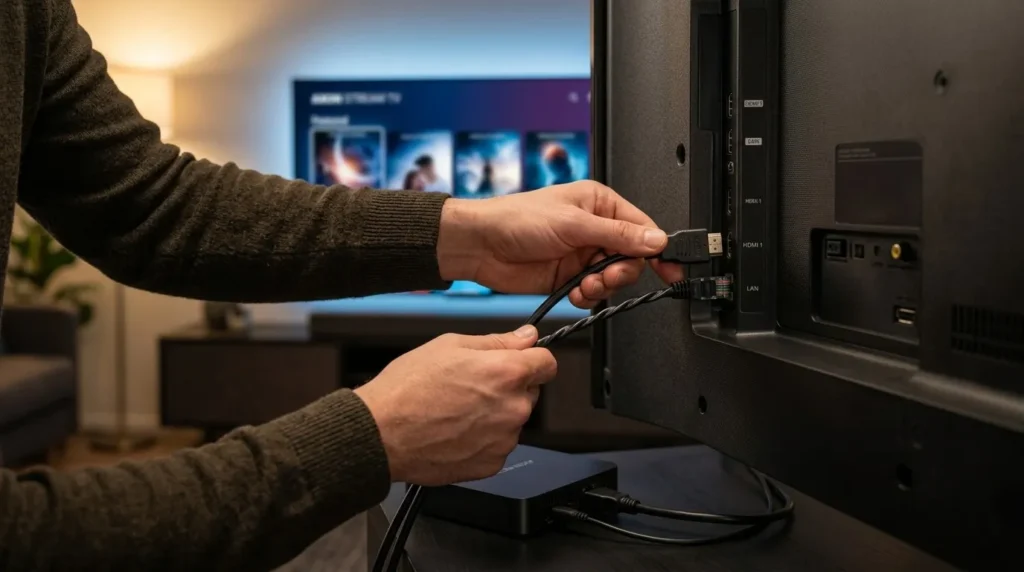
Plug one end of an HDMI cable into the HDMI port on your IPTV Box and the other into a free HDMI port on your TV. Connect the power adapter and switch on both devices. Use your TV remote to select the correct HDMI input channel.
Pro Tip: Use a high-quality HDMI 2.0 cable if you plan to stream in 4K. Cheap cables can cause signal dropouts or limit resolution.
Step 2: Connect to the Internet
You can connect via Wi-Fi or Ethernet. Navigate to your network settings and select your Wi-Fi network, or simply plug in an Ethernet cable for a direct connection.
Pro Tip: Use a wired Ethernet connection if you watch live sports or news channels regularly. It reduces buffering and packet loss significantly compared to wireless.
Step 3: Sign In and Update the Device
Sign into your account (such as a Google account on Android-based devices) and immediately check for system or firmware updates. Go to Settings > About > Software Update.
Pro Tip: Always install available updates before adding apps. Updates often fix bugs that could affect streaming performance.
Step 4: Install Streaming Apps
Open the app store on your device and install the apps you need. This may include legal IPTV apps, media players, or entertainment platforms. Stick to well-known, trusted sources.
Pro Tip: Avoid sideloading apps from unknown websites. Unverified apps can carry malware or expose your network to security risks.
Step 5: Add Your IPTV Subscription Details
Once you have subscribed to a legal IPTV service, you will typically receive login credentials, a playlist URL (M3U link), or app access details. Enter these into your chosen IPTV player app to start streaming.
Pro Tip: Choose a reputable IPTV service that offers a free trial, customer support, and clear terms of service. Avoid providers that make vague promises about premium content at suspiciously low prices.
Step 6: Optimise Picture, Sound, and Network Settings
Go into your device’s display settings and set the output resolution to match your TV’s maximum capability (e.g., 4K at 60Hz). Adjust audio output settings to match your sound system, and enable subtitles or audio tracks where needed.
Pro Tip: If you notice stuttering or pixelation, lower the resolution output slightly and check your internet speed before blaming the device.
Performance and Streaming Quality Benchmarks
Your IPTV Box is only as good as the environment around it. Here is what affects streaming quality and the speeds you should aim for:
| Streaming Quality | Recommended Internet Speed | Suggested Connection | Best Use Case |
|---|---|---|---|
| 720p HD | 5–10 Mbps | Wi-Fi or Ethernet | Casual viewing, older devices |
| 1080p Full HD | 10–15 Mbps | Wi-Fi (5GHz) or Ethernet | Standard family viewing |
| 4K Ultra HD | 25 Mbps+ | Ethernet preferred | Cinema-quality viewing |
| Live Sports Streaming | 15–25 Mbps | Ethernet strongly recommended | Real-time low-latency feeds |
Beyond internet speed, other factors affect performance:
- Processor and RAM: A weak processor will struggle with 4K decoding or running multiple apps.
- App optimisation: Poorly coded IPTV apps can cause crashes regardless of device quality.
- Server quality of your IPTV service: Even a premium device cannot fix buffering caused by an overloaded or unreliable content server.
- Wi-Fi signal strength: Walls, distance, and interference can reduce wireless speeds dramatically.
A powerful IPTV Box will not save you from a slow internet connection or a poor-quality IPTV provider. All three elements — device, internet, and service — need to work together.
Best Uses for an IPTV Box
An IPTV Box is versatile enough for many different situations:
- Home entertainment: One device for movies, TV shows, live channels, and kids’ content.
- Live sports streaming: Sports fans can get smoother, higher-quality live match coverage than with many satellite packages.
- International TV channels: Watch news, entertainment, and sports from your home country, wherever you live.
- Movies and series on demand: Access legal on-demand platforms directly through the same device.
- Hotel and guest room entertainment: A compact device that transforms any TV into a smart entertainment hub.
- Small business waiting rooms: Stream background TV or entertainment content for customers.
- Travel entertainment: Pack it in a bag and plug it into any hotel TV with an HDMI port.
- IPTV resellers testing services: Resellers can use a reliable box to test service quality before selling to clients.
- Upgrading older TVs: Add internet TV capability to any screen without replacing the TV itself.
Better Alternatives and Useful Add-ons
Depending on your needs, here are some alternatives and accessories worth considering:
Alternatives:
- Google TV device: A polished, consumer-friendly alternative with strong app support.
- Mini PC media player: More processing power, ideal for advanced users.
- Smart TV upgrade: If you are already buying a new TV, a built-in smart platform may be sufficient for basic streaming.
- Streaming stick: A budget-friendly option for casual, low-demand viewers.
Useful add-ons:
- Ethernet adapter: If your device lacks a built-in Ethernet port, a USB-to-Ethernet adapter solves the problem cheaply.
- Wireless keyboard: Makes logging in and searching much easier than using an on-screen keyboard.
- Bluetooth remote or air mouse: Improves navigation, especially for text-heavy interfaces.
- High-quality HDMI cable: Essential for stable 4K signals.
- External USB storage: Expand storage capacity for downloading apps and saving data.
- VPN service: Where legal and appropriate, a VPN can improve privacy and help access region-restricted content legally.
Common IPTV Box Mistakes to Avoid
Learning from other people’s mistakes saves you time, money, and frustration. Here are the most frequent errors buyers and users make:
- Buying the cheapest unknown brand: Low-cost no-name devices often lack updates, support, and reliable performance. Choose a brand with a track record.
- Ignoring RAM and storage specs: An IPTV Box with 1GB RAM will struggle with modern apps. Always check specifications before buying.
- Relying on weak Wi-Fi for live TV: Wireless connections can drop or slow down mid-stream. Use Ethernet for critical viewing.
- Skipping firmware updates: Running outdated software leaves your device vulnerable and causes compatibility issues.
- Installing unverified apps: Apps from untrusted sources may contain malware, spyware, or unwanted ads.
- Choosing illegal IPTV services: Unauthorised streaming services put you at legal risk and often deliver unreliable quality.
- Expecting 4K on slow internet: Even the best device cannot stream 4K on a 10 Mbps connection without buffering.
- Not checking app compatibility: Some IPTV apps only work on specific Android versions or certified devices.
- Overloading the device with apps: Too many installed apps slow down your device and eat storage space.
- Ignoring overheating: Placing the box in a confined space with no ventilation reduces its lifespan significantly.
Maintenance and Long-Term Care Tips
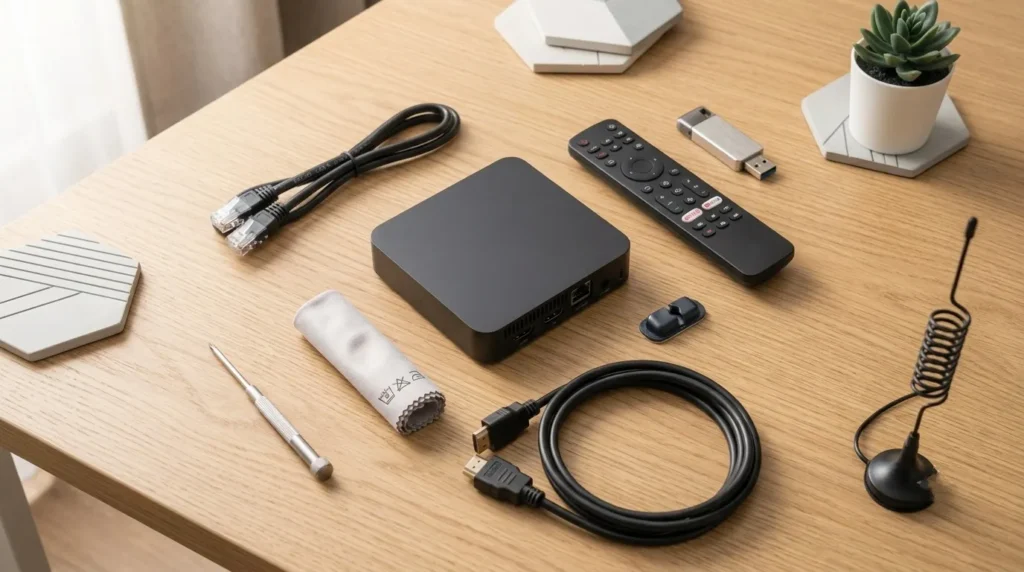
A well-maintained IPTV Box lasts far longer and performs far better. Follow this simple checklist:
- ✅ Restart the device weekly to clear temporary files and refresh memory.
- ✅ Keep firmware updated to benefit from performance improvements and security patches.
- ✅ Clear app cache regularly in Settings > Apps to free up memory and fix slow loading.
- ✅ Remove apps you no longer use to keep storage and RAM available.
- ✅ Keep vents unobstructed — never stack items on top of your device.
- ✅ Use the original or quality power adapter to prevent voltage fluctuations from damaging the hardware.
- ✅ Avoid placing the device near heat sources such as radiators, amplifiers, or enclosed cabinets without airflow.
- ✅ Back up app settings and account details so you can restore your setup easily if you reset the device.
- ✅ Use a strong, stable internet connection — consider a wired Ethernet connection for reliability.
- ✅ Monitor your IPTV subscription status to avoid unexpected interruptions mid-stream.
How to Choose the Right IPTV Box Before Buying
Use this checklist to make a confident, informed purchase:
- Budget: Set a realistic spending limit. Mid-range devices (£40–£100) typically offer the best balance of quality and value.
- TV resolution: If you have a 4K TV, make sure the box supports 4K output. If your TV is 1080p, you do not need to pay for 4K.
- Internet speed: Check your current broadband speed. If it is below 10 Mbps, even the best device will buffer.
- Preferred apps: Confirm that your essential apps — especially your IPTV player — are compatible with the device before buying.
- Storage needs: If you plan to install many apps or download content, aim for 32GB or more.
- Remote control preference: Voice remotes, air mice, or standard remotes all suit different users.
- Brand reputation: Look for brands that offer regular software updates and accessible customer support.
- Customer reviews: Read real user feedback, not just marketing descriptions.
- Warranty: A 12-month warranty minimum is a good baseline. Avoid devices with no stated warranty.
- Legal IPTV compatibility: Make sure the device works with the legal streaming services or IPTV apps you plan to use.
For beginners: Prioritise ease of setup, strong app store support, and a reliable remote.
For families: Choose a device with good parental control options and enough RAM for multiple users.
For sports fans: Ethernet support and a fast processor for low-latency live streaming are non-negotiable.
For advanced users: Look for rooted Android options, high RAM, and broad codec support.
Is an IPTV Box Worth It?
For most people, yes — but it depends on how you watch TV.
An IPTV Box is worth buying if you want more flexibility than your current smart TV allows, if you need better app performance, if you want to add smart TV capability to an older screen, or if you are a heavy IPTV user who needs a stable, dedicated streaming device.
It may not be necessary if you only watch Netflix or YouTube on a recent smart TV that already handles those apps smoothly. In that case, your existing setup may already meet your needs.
However, for anyone who wants a more powerful, customisable, and future-proof home entertainment setup — particularly paired with a quality internet connection and a legal IPTV service — an IPTV Box represents excellent value for money.
Conclusion
An IPTV Box is one of the most practical upgrades you can make to your home entertainment setup. It gives you flexible streaming, better app control, HD and 4K picture quality, and the ability to breathe new life into any TV screen — all without the burden of long cable contracts or inflexible packages.
The key to getting the most out of your device is simple: choose a well-reviewed model with decent specs, connect it properly using Ethernet where possible, keep it updated, and pair it with a reliable, legal IPTV service. When all three elements work together — a quality device, fast internet, and a trusted content provider — the results speak for themselves.
Ready to upgrade your home entertainment setup? Choose a reliable IPTV Box, connect it properly, and enjoy smoother, smarter streaming. Share your setup in the comments below or subscribe for more IPTV guides, buying tips, and streaming tutorials.
FAQs
Q1: What is an IPTV Box used for?
An IPTV Box is used to stream live TV, movies, TV shows, sports events, and on-demand content through an internet connection, directly on your television screen.
Q2: Do I need a subscription for an IPTV Box?
The device itself does not always come with content included. You will typically need a legal IPTV service subscription or a streaming app account to access channels and premium entertainment.
Q3: Can an IPTV Box work on any TV?
Most IPTV boxes work with any TV that has an HDMI input port. For very old televisions without HDMI, an HDMI-to-RCA adapter may be needed, though HDMI is by far the standard and most reliable option.
Q4: Is an IPTV Box legal?
Yes, the device itself is entirely legal to own and use. What matters is the content source. Always use licensed, legal IPTV services and avoid unauthorised or pirated streaming sources, which carry both legal and security risks.
Q5: What internet speed do I need for an IPTV Box?
For smooth HD streaming, around 10 Mbps is generally sufficient. For 4K content and live sports, 25 Mbps or more is strongly recommended to avoid buffering and maintain picture quality.
Q6: Is Ethernet better than Wi-Fi for IPTV streaming?
Yes, in most cases. A wired Ethernet connection is more stable, more consistent, and less prone to interference than Wi-Fi, making it especially important for live TV, real-time sports feeds, and high-resolution streaming.
Q7: Can I watch Netflix and YouTube on an IPTV Box?
Many IPTV boxes running Android support popular streaming apps including Netflix, YouTube, Amazon Prime Video, Disney+, and others. Compatibility depends on the device and whether it is certified for those platforms.
Q8: How long does an IPTV Box last?
A good-quality IPTV Box can last three to five years or longer with proper care. Regular firmware updates, adequate ventilation, safe app use, and sufficient storage are the biggest factors in extending its lifespan.