Are traditional cable packages still worth the cost when IPTV providers offer flexible live TV, on-demand content, and multi-device streaming? For many households, the answer is increasingly no. Cord-cutting continues to accelerate as viewers look for more control over what they watch, when they watch it, and how much they pay each month.
This shift has fueled massive interest in IPTV providers as a practical alternative to cable and satellite TV. But with growing demand comes growing confusion. Buyers frequently worry about buffering, poor customer support, fake suppliers, unstable servers, unclear pricing, and — most importantly — whether a service is even legal. This guide breaks down everything you need to know about choosing legal, licensed IPTV providers in 2026, so you can make an informed decision without falling into common traps.
What Are IPTV Providers?
IPTV stands for Internet Protocol Television. In simple terms, IPTV providers deliver television content over an internet connection instead of through traditional cable wires or satellite dishes. Instead of tuning into a broadcast signal, your device requests a stream from a server, and that stream is delivered to you in real time.
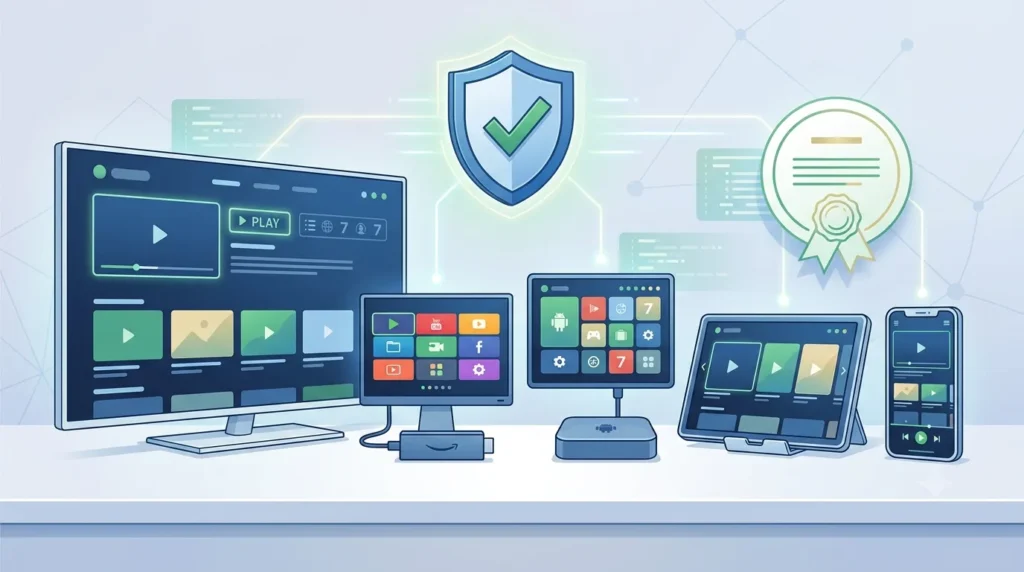
Unlike conventional television services that broadcast every channel simultaneously, IPTV works on a request-based system. When you select a channel or a movie, the content is streamed directly to your device over your internet connection. This approach makes IPTV more flexible, allowing users to watch live television, catch-up programming, or on-demand content from a wide range of compatible devices, including smart TVs, streaming boxes, smartphones, tablets, and computers.
There’s an important distinction between IPTV, cable TV, satellite TV, and general OTT (over-the-top) apps. Cable and satellite rely on dedicated infrastructure and fixed regional coverage. OTT apps like standard streaming platforms usually focus on on-demand libraries. IPTV providers often combine both live TV channels and video-on-demand libraries delivered entirely through the internet. Many IPTV services also include features such as electronic program guides (EPGs), cloud DVR functionality, multi-device support, and catch-up TV, depending on the provider and subscription plan.
The viewing experience with IPTV depends heavily on the quality and speed of your internet connection. A stable broadband connection is generally required for smooth HD or 4K streaming, while slower or unstable networks can result in buffering, lower video quality, or interruptions. Because IPTV is internet-based, users can often access their subscriptions from different locations, provided the service permits it.
Licensing is the single most important factor separating legitimate IPTV providers from unverified IPTV suppliers. A legal IPTV provider has secured the rights to distribute the channels and content it offers. These providers operate under agreements with broadcasters, production companies, and content owners, helping ensure reliable service and compliance with copyright laws. An unverified supplier may stream copyrighted channels without permission, which creates real legal, privacy, and security risks for the end user. In addition to potential legal consequences, unauthorized IPTV services are often less reliable, with channels disappearing unexpectedly, inconsistent streaming quality, limited customer support, and a higher risk of malware or payment fraud.
IPTV providers serve a wide range of users, including:
- Families wanting flexible channel packages
- Sports fans who want reliable access to live matches
- Businesses and hotels needing scalable streaming solutions
- Resellers building IPTV subscription businesses
- Everyday streamers replacing traditional cable
How IPTV Providers Work
Understanding how IPTV providers work helps you evaluate quality and reliability before subscribing.
- Content source and licensing – The provider secures broadcast rights or partnerships with content owners and channel networks.
- IPTV servers – Content is encoded and distributed through servers designed to handle live streaming traffic.
- Middleware – This software layer manages user authentication, channel organization, and content delivery.
- Streaming protocols – Data is transmitted using internet streaming protocols that convert broadcast signals into viewable digital streams.
- IPTV apps – Subscribers access content through a dedicated IPTV app installed on a smart TV, streaming device, phone, or computer.
- User login and subscription access – Each subscriber authenticates with login credentials tied to their IPTV subscription.
- EPG guide – An electronic program guide displays scheduled programming, similar to a traditional cable guide.
- Video-on-demand libraries – Many IPTV providers bundle VOD content alongside live channels.
- Device compatibility – Content is optimized to run across Android TV, Firestick, smart TVs, tablets, and other streaming devices.
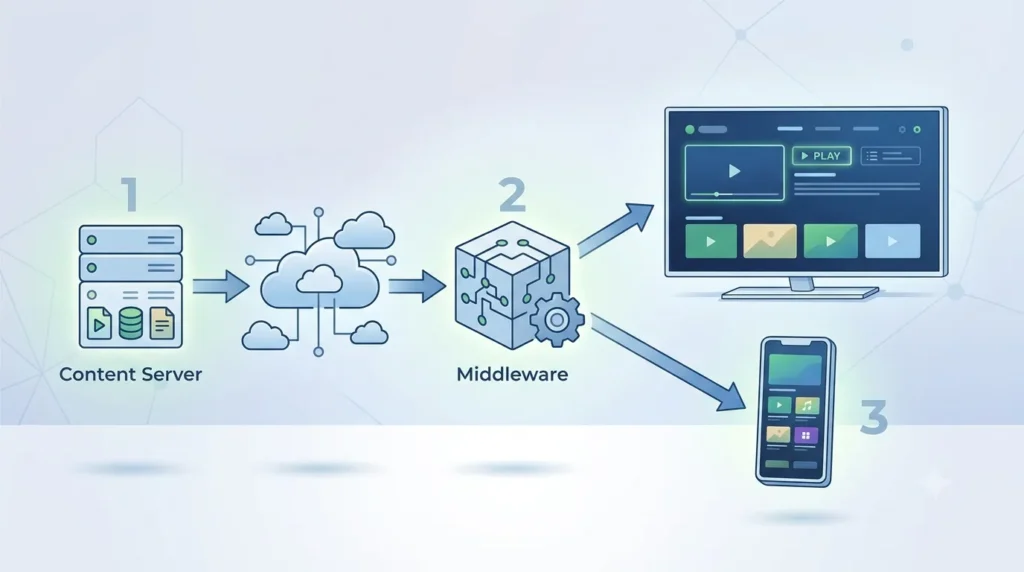
In short: licensed content flows from the source, through servers and middleware, into an app on your device — all delivered over your internet connection.
IPTV Providers vs Traditional Cable TV
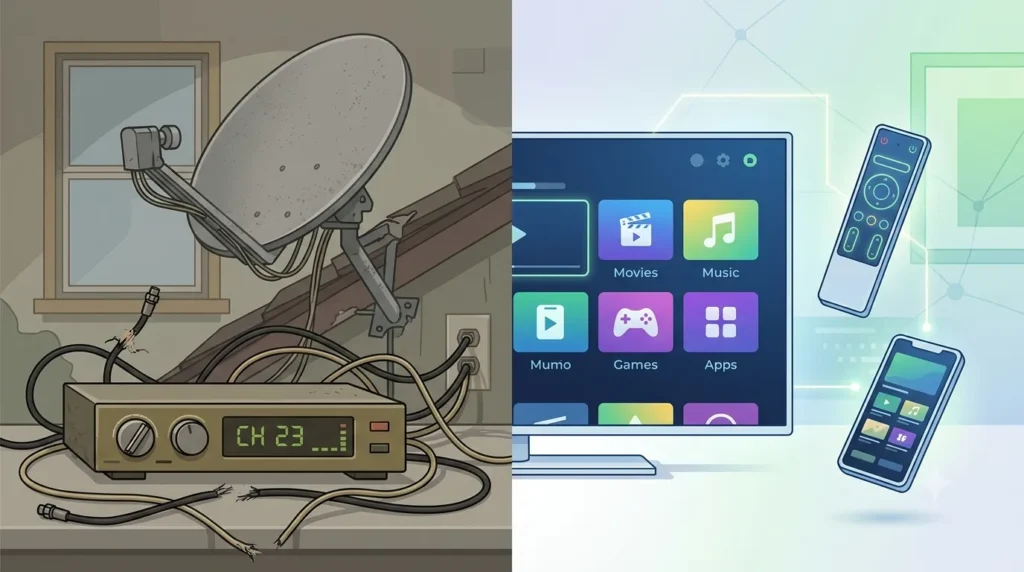
IPTV providers and cable TV both deliver live television, but they differ significantly in flexibility, cost structure, and technology.
| Feature | IPTV Providers | Traditional Cable TV |
|---|---|---|
| Pricing | Often lower, flexible plans | Fixed, often higher long-term |
| Contract Flexibility | Monthly or short-term options common | Long-term contracts common |
| Channel Variety | Wide international and niche selection | Regionally limited |
| Device Compatibility | Smart TVs, Firestick, Android TV, phones | Set-top box required |
| Portability | Stream anywhere with internet | Location-dependent |
| Picture Quality | HD and 4K streaming (network-dependent) | HD, sometimes 4K |
| On-Demand Content | Frequently included | Limited or extra cost |
| Installation | Minimal, app-based setup | Technician installation often required |
| User Control | High – manage devices, plans, channels | Lower flexibility |
| Reliability | Depends on internet and server stability | Depends on physical infrastructure |
IPTV offers more flexibility and often better value, but a stable, reasonably fast internet connection is essential for smooth streaming quality.
Key Features to Look for in IPTV Providers
Before subscribing, evaluate IPTV providers against these criteria:
- Legal licensing and transparency – Look for clear information about content rights.
- Channel variety – Confirm both local and international channel lineup options.
- Sports and premium content – Check availability if this matters to you.
- Video-on-demand library – A strong VOD catalog adds long-term value.
- Streaming quality – Look for HD, Full HD, and 4K streaming support.
- Anti-buffering server stability – Reliable servers reduce interruptions.
- Device compatibility – Support for Android TV, Firestick IPTV, smart TVs, and mobile devices.
- IPTV app quality – A clean, intuitive interface matters for daily use.
- EPG guide – Helps you browse and plan viewing like traditional TV.
- Catch-up TV – Useful for missed live broadcasts.
- Multi-screen support – Important for households with multiple viewers.
- Free trial or demo – Lets you test streaming quality before committing.
- Customer support response time – Fast, helpful support is a strong reliability signal.
- Refund policy – Protects you if the service doesn’t meet expectations.
- Pricing plans – Compare monthly versus long-term options.
- Payment security – Secure checkout protects your financial information.
- User reviews and reputation – Independent feedback helps validate claims.
Beginners should prioritize ease of use, trial availability, and support. Advanced users may focus more on device flexibility, EPG customization, and multi-screen capability.
7 Ultimate IPTV Providers to Consider in 2026
Since verified, specific IPTV provider names and current licensing details vary by region and change frequently, this roundup uses category-based profiles to help you understand what to look for in each type of legal IPTV provider. Always confirm current licensing and reviews directly before subscribing.
Provider 1: Best for Families
Best for: Households with varied viewing preferences Key features: Parental controls, wide channel lineup, kid-friendly VOD Streaming quality: HD and Full HD Device support: Smart TV, Firestick, Android TV, mobile Pros: Balanced content mix, flexible plans Cons: Premium sports may cost extra Pricing note: Mid-range monthly plans Who should choose it: Families wanting variety without complexity Licensing reminder: Confirm licensed channel partnerships before purchase
Provider 2: Best for Sports Fans
Best for: Live sports coverage Key features: Sports-focused channel packages, EPG guide for match schedules Streaming quality: HD and 4K streaming on select channels Device support: Android TV, Firestick IPTV, smart TVs Pros: Strong live sports lineup Cons: Server load can spike during major events Pricing note: Often offered as an add-on tier Who should choose it: Viewers prioritizing live match access Licensing reminder: Verify sports broadcasting rights are properly licensed
Provider 3: Best for International Channels
Best for: Multicultural households Key features: Large international channel variety, multi-language support Streaming quality: HD streaming, variable by region Device support: Broad IPTV app compatibility Pros: Extensive global content Cons: Regional licensing can limit some channels Pricing note: Competitive bundled pricing Who should choose it: Viewers seeking channels beyond domestic offerings Licensing reminder: Confirm international content licensing agreements
Provider 4: Best for 4K Streaming
Best for: Home theater enthusiasts Key features: 4K-optimized VOD and select live channels Streaming quality: HD and 4K streaming Device support: Android TV, smart TV, streaming boxes Pros: Superior picture quality on supported content Cons: Requires strong internet bandwidth Pricing note: Slightly premium pricing tier Who should choose it: Users with fast, stable internet Licensing reminder: Ensure 4K content is officially licensed, not repackaged
Provider 5: Best Budget IPTV Provider
Best for: Cost-conscious viewers Key features: Core live channels, basic VOD library Streaming quality: HD streaming Device support: Firestick, Android TV, mobile Pros: Affordable monthly subscription Cons: Smaller VOD catalog Pricing note: Entry-level monthly plans Who should choose it: Viewers wanting essential channels affordably Licensing reminder: Avoid unrealistically cheap “lifetime” pricing claims
Provider 6: Best for Businesses and Hotels
Best for: Commercial and hospitality use Key features: Multi-room licensing, scalable subscriptions, business support Streaming quality: HD and Full HD Device support: Smart TVs, set-top devices, Android TV Pros: Built for multiple simultaneous users Cons: Higher setup complexity Pricing note: Custom business pricing Who should choose it: Hotels, offices, and venues needing shared access Licensing reminder: Commercial licensing terms differ from residential plans
Provider 7: Best for IPTV Resellers
Best for: Entrepreneurs building an IPTV subscription business Key features: Reseller dashboards, credit systems, white-label support Streaming quality: Depends on upstream provider Device support: Broad compatibility for end users Pros: Business growth potential Cons: Reseller must vet upstream licensing carefully Pricing note: Wholesale credit-based pricing Who should choose it: Those wanting to operate an IPTV reseller business Licensing reminder: Reseller legitimacy depends entirely on the upstream provider’s licensing
Comparison Table of the Best IPTV Providers
| Provider Type | Best Use Case | Streaming Quality | Device Compatibility | VOD Availability | EPG Support | Trial Availability | Customer Support | Best For |
|---|---|---|---|---|---|---|---|---|
| Family-Focused | General home viewing | HD/Full HD | Wide | Yes | Yes | Often | Standard | Families |
| Sports-Focused | Live match streaming | HD/4K | Wide | Limited | Yes | Sometimes | Priority during events | Sports fans |
| International | Global channel access | HD | Broad | Yes | Yes | Often | Standard | Multicultural households |
| 4K-Focused | Premium picture quality | 4K | Moderate | Yes | Yes | Rare | Standard | Home theater users |
| Budget | Essential channels | HD | Wide | Basic | Yes | Often | Basic | Cost-conscious users |
| Business/Hotel | Commercial deployment | HD/Full HD | Wide | Yes | Yes | Rare | Dedicated | Hotels, businesses |
| Reseller | Subscription reselling | Varies | Wide | Varies | Yes | N/A | Varies | Entrepreneurs |
Pros and Cons of Using IPTV Providers
Pros:
- Flexible viewing across multiple devices
- Often lower cost than cable in certain regions
- Multi-device and multi-screen support
- Strong on-demand content libraries
- Access to international channels
- No heavy hardware installation required
Cons:
- Requires a stable, sufficiently fast internet connection
- Legal risks exist with unverified or unlicensed services
- Buffering can occur with low-quality servers
- Support quality varies between suppliers
- Some providers have limited regional licensing coverage
How to Choose the Right IPTV Provider
Use this practical framework when comparing IPTV providers:
- Identify your viewing needs — live TV, VOD, sports, or international content
- Confirm the provider is legal and properly licensed
- Compare the channel lineup against your priorities
- Test streaming quality with a trial when possible
- Check device compatibility with your smart TV or streaming device
- Read real, independent customer reviews
- Avoid suspiciously cheap “lifetime” IPTV deals
- Start with a monthly plan before committing long-term
- Contact customer support before purchasing to gauge responsiveness
Quick Buyer Checklist:
- [ ] Licensing is clearly stated
- [ ] Free trial or demo available
- [ ] Device compatibility confirmed
- [ ] Pricing is transparent
- [ ] Refund policy exists
- [ ] Customer support is responsive
- [ ] Reviews are consistent and credible
Common Mistakes to Avoid When Choosing IPTV Providers
- Choosing the cheapest supplier — Low price often means weak licensing or unstable servers. Compare value, not just cost.
- Ignoring licensing — Always confirm the provider operates legally.
- Not testing with a free trial — Skipping trials leads to unexpected quality issues.
- Buying lifetime IPTV subscriptions — These are frequently unsustainable and risky.
- Using weak internet — Poor bandwidth causes buffering regardless of provider quality.
- Not checking app compatibility — Confirm support for your specific device beforehand.
- Ignoring refund policies — Know your options if the service underperforms.
- Trusting fake reviews — Cross-check reviews across multiple independent sources.
- Sharing login details — This can violate terms of service and cause account suspension.
- Overlooking customer support — Reliable support is essential when issues arise.
Are IPTV Providers Legal?
IPTV technology itself is completely legal — it’s simply a method of delivering content over the internet. Legal IPTV providers that hold proper licensing agreements with content owners operate the same way any licensed streaming or cable service does.
The legal concern arises with unlicensed suppliers that stream copyrighted channels without authorization. Using these unverified IPTV suppliers can expose users to security risks, unreliable service, and potential legal issues depending on jurisdiction.
To identify suspicious providers, watch for:
- No clear licensing information
- Extremely low “lifetime” pricing
- No official app or website presence
- Poor or nonexistent customer support
- Payment methods that lack security safeguards
Always review a provider’s terms of service, confirm official app availability, and use secure payment methods before subscribing.
Final Thoughts on Choosing IPTV Providers
Choosing the right IPTV provider comes down to prioritizing legality, stability, and support over rock-bottom pricing. Legal IPTV providers offer transparent licensing, dependable streaming quality, and responsive customer service — the foundation of a genuinely good experience. Avoid unrealistic lifetime deals, compare features carefully, and always test a service before committing long-term.
Before choosing any IPTV provider, compare features, check legality, test streaming quality, and start with a short-term plan. A reliable IPTV service should give you stable streaming, clear pricing, responsive support, and legal peace of mind.
FAQs About IPTV Providers
Q1: What are IPTV providers? IPTV providers deliver live television and on-demand content over an internet connection instead of cable or satellite infrastructure. They use IPTV apps, servers, and licensing agreements to stream channels and video-on-demand libraries directly to smart TVs, phones, and streaming devices, offering more flexibility than traditional broadcast methods.
Q2: Are IPTV providers legal? Yes, when properly licensed. IPTV technology itself is legal, and licensed IPTV providers operate under agreements with content owners. Problems only arise with unverified suppliers that stream copyrighted content without permission, which can carry legal and security risks for subscribers.
Q3: What is the difference between IPTV providers and cable TV? IPTV providers deliver content over the internet, offering flexible plans, multi-device access, and often lower costs. Cable TV relies on physical infrastructure, fixed contracts, and location-based service. IPTV generally offers more portability and on-demand flexibility than traditional cable.
Q4: How do I choose the best IPTV provider? Compare licensing transparency, channel lineup, streaming quality, device compatibility, and customer support. Test with a free trial when available, read independent reviews, and start with a monthly plan before committing to a long-term subscription.
Q5: Do IPTV providers work on Firestick? Yes, most legal IPTV providers offer Firestick-compatible apps. Firestick IPTV setups are popular because they’re affordable and easy to configure, provided the IPTV app is officially supported and properly licensed.
Q6: Can I watch IPTV on a smart TV? Yes, many IPTV providers offer dedicated smart TV apps or support installation through built-in app stores. Compatibility varies by brand, so confirm smart TV support before subscribing.
Q7: What internet speed do I need for IPTV? A stable connection of at least 15–25 Mbps is generally recommended for smooth HD streaming, with higher speeds needed for 4K streaming or multiple simultaneous devices.
Q8: Why does IPTV buffer? Buffering usually results from insufficient internet speed, server overload, or poor network stability. Choosing a provider with reliable servers and ensuring adequate bandwidth significantly reduces buffering issues.
Q9: Are lifetime IPTV subscriptions safe? Generally, no. Lifetime deals are often unsustainable for legitimate providers to offer and can signal weak licensing or unstable business practices. Monthly or annual plans from transparent providers are typically safer.
Q10: What is the difference between IPTV providers and IPTV resellers? IPTV providers manage the core infrastructure, licensing, and content delivery. IPTV resellers purchase access or credits from a provider and sell subscriptions to end users. A reseller’s legitimacy depends entirely on the licensing practices of their upstream provider.