
Introduction
Is your Encoder IPTV setup delivering the stability and quality modern viewers expect? In today’s hyper-competitive streaming landscape, where 82% of internet traffic is now video content, the difference between a flawless broadcast and a buffering nightmare often comes down to one critical component: your encoder.
Whether you’re an IPTV reseller serving thousands of subscribers, a broadcaster pushing 24/7 live channels, or a streaming professional managing multi-platform distribution, understanding Encoder IPTV technology isn’t optional anymore—it’s essential. The global IPTV market is projected to reach $117 billion by 2027, and those who master encoding infrastructure will capture the lion’s share of that growth.
But here’s the challenge: poor encoding leads to buffering, high latency, excessive bandwidth consumption, and ultimately, subscriber churn. Studies show that 60% of viewers will abandon a stream after just 90 seconds of poor quality. That’s where professional Encoder IPTV solutions come in—transforming raw video signals into optimized, protocol-ready streams that deliver consistent quality across any network condition.
In this comprehensive guide, we’ll unveil seven proven secrets that separate amateur IPTV operations from professional-grade broadcasting systems. You’ll discover exactly how to configure, optimize, and maintain encoder hardware for flawless streaming success.
What Is Encoder IPTV and Why It’s a Game-Changer
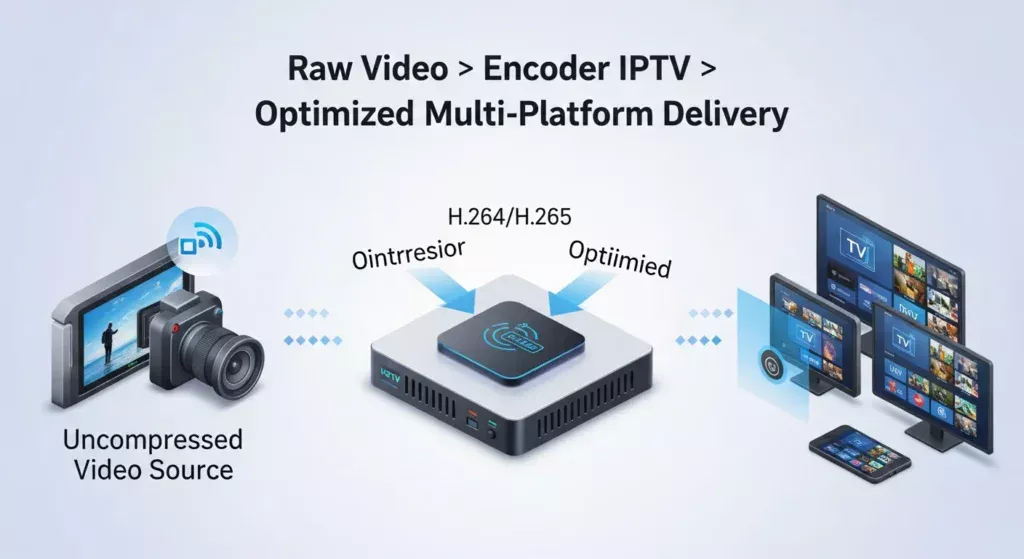
An Encoder IPTV is a specialized device or software that converts raw video signals from sources like cameras, satellite receivers, or media servers into IP-based streaming formats. Think of it as the translator between your video source and the internet—it takes uncompressed video data and transforms it into compressed, network-ready streams that viewers can access anywhere.
Modern IPTV encoders handle multiple critical functions simultaneously. They capture video through interfaces like HDMI, SDI, or component inputs, compress it using advanced codecs like H.264 or H.265 (HEVC), synchronize audio tracks, and output formatted streams via protocols including RTMP, UDP, HLS, or SRT. This entire process happens in real-time with latency measured in milliseconds.
The game-changing aspect? Professional Encoder IPTV hardware delivers consistency that software encoders struggle to match. Hardware encoders feature dedicated processing chips designed specifically for video compression, eliminating the CPU bottlenecks and stability issues common with computer-based encoding. While software encoders might crash under heavy load or introduce frame drops during system updates, hardware units maintain rock-solid 24/7 operation.
For IPTV businesses, this reliability translates directly to revenue protection. When your encoder maintains uninterrupted streams during peak viewing hours—think major sports events or breaking news—you protect your reputation and prevent the subscriber complaints that lead to cancellations.
Top Benefits of Using Encoder IPTV for High-Quality Streaming
Professional Encoder IPTV systems deliver tangible advantages that impact both technical performance and business outcomes. Unmatched stability stands out as the primary benefit. Hardware encoders run dedicated firmware optimized for one purpose: converting video to IP streams. Unlike general-purpose computers that juggle multiple tasks, these units eliminate competing processes that cause frame drops or crashes. Operations report 99.9% uptime with quality hardware—critical when broadcasting live events where every second matters.
Ultra-low latency transforms viewer experience. Advanced Encoder IPTV units achieve glass-to-glass delays under 500 milliseconds using optimized codecs and protocols like SRT (Secure Reliable Transport). This proves essential for interactive applications, live sports betting platforms, and worship services where real-time engagement matters. Traditional streaming often introduces 15-30 second delays; professional encoding cuts this dramatically.
Scalability empowers growth. Quality encoder hardware supports simultaneous multi-bitrate streaming, letting you serve both high-bandwidth desktop viewers and mobile users on limited connections from a single source. Some units handle multi-channel encoding, processing 4-16 video sources concurrently—perfect for IPTV providers expanding channel lineups without proportional hardware costs.
Bandwidth efficiency directly impacts operational costs. H.265 encoding reduces bandwidth consumption by 40-50% compared to H.264 while maintaining identical visual quality. For providers serving thousands of concurrent streams, this efficiency translates to substantial monthly savings on content delivery network charges and infrastructure costs.
Core Components of an Encoder IPTV
Understanding Encoder IPTV architecture helps you make informed equipment choices and troubleshoot issues effectively. Video input interfaces determine source compatibility. Professional encoders offer HDMI ports for cameras and media players, SDI (Serial Digital Interface) for broadcast equipment, and component or composite inputs for legacy sources. High-end units provide 4K-capable inputs and support embedded audio extraction from HDMI sources.
Codec selection impacts quality, bandwidth, and compatibility. H.264 (AVC) remains the universal standard, compatible with virtually all playback devices and requiring moderate processing power. H.265 (HEVC) offers superior compression, cutting bandwidth needs nearly in half, but demands more processing and isn’t universally supported by older devices. For IPTV providers, H.264 ensures maximum compatibility while H.265 future-proofs your infrastructure.
Bitrate control and GOP settings determine stream quality and network performance. Constant bitrate (CBR) produces predictable bandwidth consumption ideal for IPTV networks with fixed capacity. Variable bitrate (VBR) optimizes quality but requires more network headroom. GOP structure affects both compression efficiency and the responsiveness when viewers tune in—shorter GOPs mean faster channel changes but slightly higher bandwidth usage.
Streaming output formats determine delivery compatibility. RTMP streaming pushes to platforms like YouTube Live and Facebook. UDP multicast efficiently distributes identical streams across local networks—perfect for hotel or campus IPTV systems. HLS (HTTP Live Streaming) enables adaptive bitrate delivery through standard web servers. SRT protocol delivers reliable, low-latency streams across unpredictable internet connections, making it ideal for remote contribution feeds. Encoder IPTV.
For beginners, single-channel H.264 encoders with HDMI input and RTMP output provide excellent starting points for under $500. Enterprise deployments benefit from multi-channel units supporting H.265, multiple protocols, and redundant outputs—investments ranging from $2,000-$10,000 that scale with business growth.
Setup Time & Efficiency of Encoder IPTV
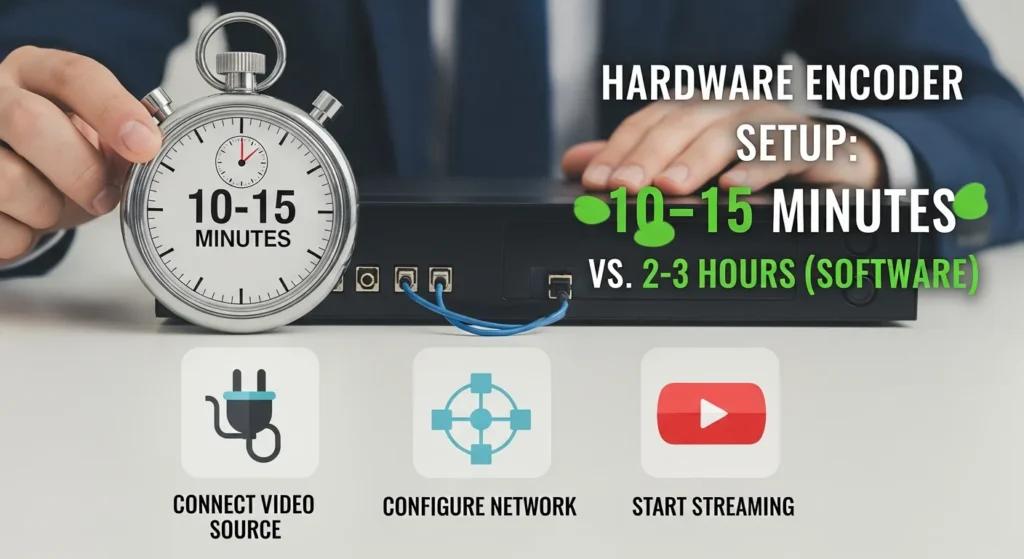
One frequently underestimated advantage of hardware Encoder IPTV units is their exceptional setup efficiency compared to software alternatives. Average configuration time for basic streaming runs 10-15 minutes with quality hardware. This assumes you have network connectivity established and know your destination streaming server details. The process involves connecting your video source, accessing the encoder’s web interface, entering network settings, selecting your output protocol, and configuring resolution and bitrate parameters.
Network configuration represents the most critical setup phase. Assign your encoder a static IP address to ensure consistent access and prevent DHCP lease changes from disrupting streams. Configure port forwarding if streaming across routers, ensuring your chosen protocol ports aren’t blocked. Proper network planning prevents the frustrating “stream started then died” scenario that wastes hours of troubleshooting.
Software encoders like OBS or FFmpeg on general-purpose computers require operating system installation, driver configuration, software installation, and ongoing maintenance. Total deployment time often exceeds 2-3 hours for first-time setups. Hardware Encoder IPTV units arrive pre-configured with embedded operating systems optimized for streaming. Firmware updates take minutes and rarely require attention.
For IPTV resellers managing multiple customer deployments, this efficiency multiplies dramatically. Pre-configure encoders at your facility, then ship them ready for simple plug-and-play installation at customer sites. One regional IPTV provider reported reducing deployment costs by 60% after standardizing on hardware encoders across their network.
Step-by-Step Encoder IPTV Setup Guide
Step 1: Connect Your Video Source (HDMI / SDI)
Begin by establishing a solid video connection between your source and encoder. For HDMI sources like cameras or media players, use high-quality cables under 15 feet to prevent signal degradation. SDI connections offer superior reliability for professional installations, supporting cable runs up to 300 feet without signal boosters. Match SDI formats carefully: 3G-SDI handles 1080p60, 6G-SDI supports 4K30, and 12G-SDI enables 4K60.
Pro tip: Always verify your source signal before troubleshooting the encoder. Connect your camera or player to a monitor first to confirm it outputs correctly. Many “encoder problems” are actually source configuration issues—cameras defaulting to unsupported formats or players outputting protected content.
Step 2: Configure Network Settings
Access your encoder’s configuration interface through its default IP address. Connect a computer to the same network, navigate to the IP in your web browser, and log in with factory credentials. Immediately assign a static IP address outside your router’s DHCP range. Choose an address you’ll remember and document it—typical schemes use sequential addresses like 192.168.1.101, 102, 103 for multiple encoders.
Configure DNS servers for protocol resolution and time synchronization. Use reliable public DNS like Google (8.8.8.8) or Cloudflare (1.1.1.1). Enable NTP (Network Time Protocol) to maintain accurate timestamps in stream metadata—this prevents A/V sync drift during long broadcasts. Encoder IPTV.
Step 3: Choose Streaming Protocol & Destination
Select the appropriate protocol for your delivery method. RTMP remains the standard for pushing to platforms like YouTube or Facebook. UDP multicast suits local network distribution where multiple viewers watch identical content. HLS output generates segmented streams compatible with adaptive bitrate delivery. SRT protocol provides low latency and reliable delivery over unpredictable internet connections.
Pro tip: Always configure a backup stream to a secondary destination. Professional Encoder IPTV units support simultaneous dual outputs—send your primary stream to your main server and a backup copy to cloud storage or a redundant receiver.
Step 4: Optimize Bitrate, Resolution, and Codec
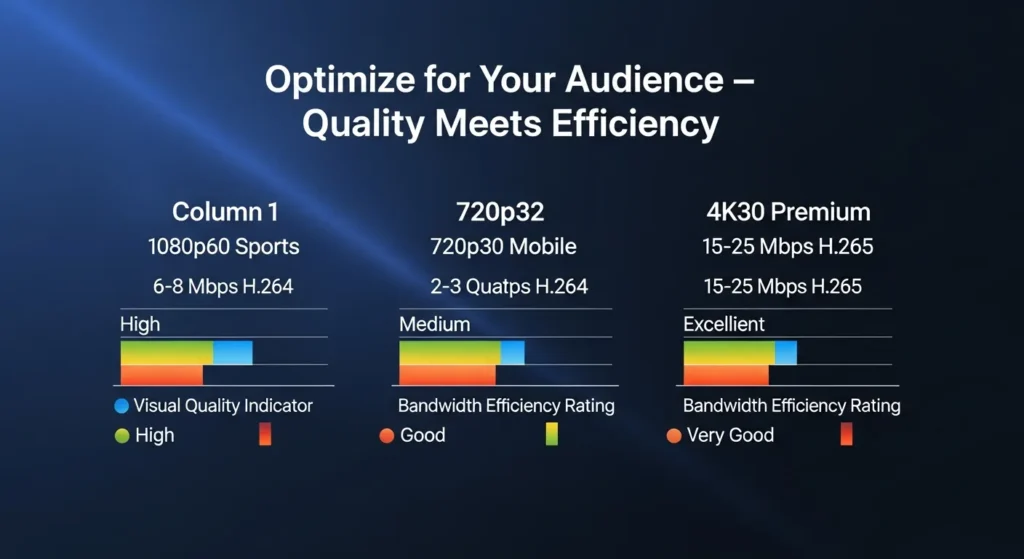
Match your resolution to source quality and viewer devices. Common configurations: 1080p60 at 6-8 Mbps for high-quality streaming, 720p30 at 2-3 Mbps for mobile-optimized delivery, or 480p at 1 Mbps for bandwidth-constrained scenarios. Select your codec strategically—H.264 ensures maximum compatibility while H.265 cuts bandwidth in half but requires more powerful decoder hardware.
Configure GOP structure based on content type. Shorter GOPs (1-2 seconds) benefit fast-paced sports and enable quick channel switching. Longer GOPs (4-5 seconds) improve compression efficiency for static content like presentations. Set bitrate mode according to network conditions—CBR for predictable traffic, VBR for optimized quality with bandwidth headroom.
Step 5: Go Live!
Enable your stream and verify successful connection through the encoder’s status dashboard. Quality units display real-time indicators: incoming video detected, encoding active, network transmission confirmed. Verify actual playback through your intended viewer platform. Monitor key metrics during the first hour—encoder temperature, network bitrate graphs, and warning indicators.
Pro tip: Document your final working configuration. Screenshot or export your encoder settings so you can quickly restore them after firmware updates or if settings accidentally change.
Performance & Streaming Quality Benchmarks
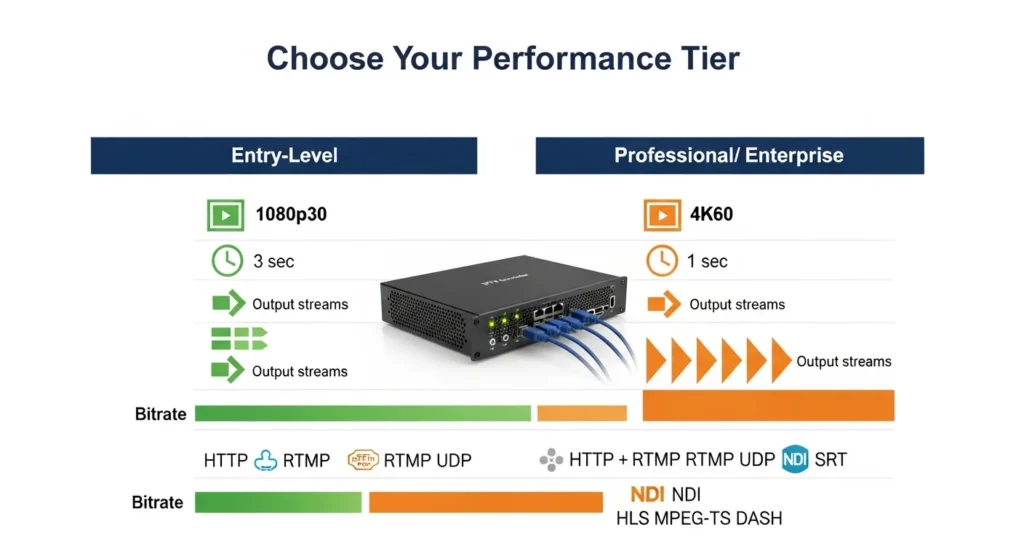
Understanding realistic performance expectations helps you evaluate equipment and identify configuration issues. Entry-level encoders ($300-$800) typically support 1080p60 encoding with H.264, sufficient for most live broadcasting applications. Mid-range units ($800-$2,000) add H.265 support and handle 4K30 encoding. High-end professional encoders ($2,000+) process 4K60 streams with H.265 and support simultaneous multi-resolution outputs.
For 1080p60 content, professional settings run 6-8 Mbps with H.264, or 3-4 Mbps with H.265. Sports and fast-motion content benefit from higher bitrates (8-10 Mbps H.264) to handle rapid scene changes without artifacting. Software encoders introduce 3-8 seconds of glass-to-glass delay. Hardware Encoder IPTV systems achieve 500ms-2 seconds with standard protocols. Advanced low-latency configurations using SRT reach 200-500ms—approaching real-time performance.
Professional encoders simultaneously output multiple protocols—RTMP for platform delivery, UDP for local distribution, and HLS for web playback. This versatility eliminates equipment duplication and enables hybrid delivery strategies serving diverse viewer populations from a single source.
Better Encoder IPTV Alternatives & Add-ons
H.265 encoders deliver substantial bandwidth savings for content distribution networks serving thousands of concurrent viewers. For IPTV providers paying significant CDN fees, this investment returns value within months. Recommended for new deployments where you control set-top box specifications or distribute to modern smart TVs manufactured after 2018.
Dual-stream and multi-platform encoders eliminate hardware duplication for operators broadcasting to multiple destinations simultaneously. Single-source encoding to YouTube, Facebook, and your proprietary IPTV platform saves equipment costs and reduces failure points. Advanced units support different bitrates per output—send high-quality streams to your managed network while delivering bandwidth-optimized versions to public platforms.
Cloud encoding services offer infinite scalability and eliminate capital equipment costs—ideal for variable-demand applications. On-premise hardware encoders provide predictable operating costs, lower latency, and protection against internet outages. Hybrid approaches using local encoding with cloud backup represent optimal reliability for critical applications. Encoder IPTV.
IPTV resellers benefit from standardized mid-range encoders ($800-1,500) offering reliable H.264 encoding and flexible protocol support. Churches need single-channel HDMI encoders ($400-700) with RTMP output. Sports streaming demands low-latency units ($1,500-3,000) supporting H.265 and SRT protocol. Corporate broadcasting requires multi-input encoders ($2,000-5,000) with professional audio processing.
Real-World Deployment Use Cases
24/7 IPTV channels represent the bread-and-butter application for IPTV service providers. A regional operator running 50 linear channels uses dedicated encoders fed by satellite receivers or media servers. Hardware encoding ensures uninterrupted operation month after month. Configuration emphasizes H.264 encoding for maximum compatibility, UDP multicast distribution, and redundant dual outputs. The outcome: 99.9% uptime protects subscriber satisfaction.
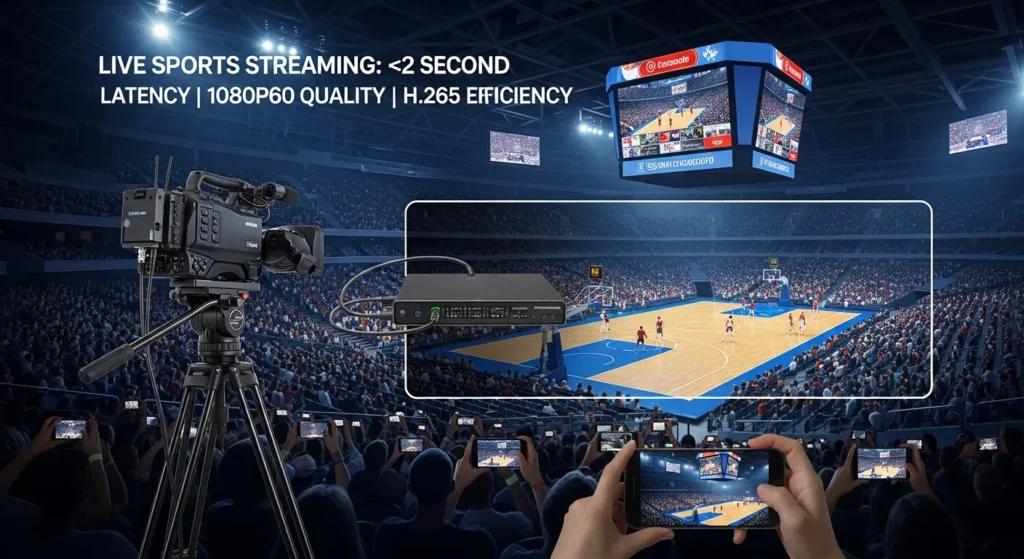
Live sports events demand minimal latency and visual quality. A university streaming basketball games deploys an H.265 encoder connected to a professional SDI camera, configured for 1080p60 at 8 Mbps. SRT protocol delivers the stream with under 2-second latency. Dual outputs push to YouTube and their authenticated alumni platform simultaneously.
Church and worship streaming exemplifies entry-level implementation. A congregation invests in a single-channel HDMI encoder to broadcast Sunday services. They connect their existing camera, configure RTMP streaming to YouTube Live, and enable UDP multicast for in-building distribution. Setup takes one Saturday morning, and the system runs untouched for months. Encoder IPTV.
Hotels implement property-wide IPTV replacing traditional coax distribution. Each hotel deploys 8-16 encoders processing cable TV channels, satellite feeds, and hotel-branded content. UDP multicast distributes all channels through ethernet to smart TVs in every room—no set-top boxes required. The outcome: reduced costs and improved guest experience.
Common Encoder IPTV Mistakes to Avoid
Incorrect protocol selection creates compatibility nightmares. Using RTMP for local network distribution where UDP multicast would perform better causes unnecessary bandwidth consumption. Conversely, attempting UDP across the public internet results in packet loss. The fix: Match protocol to network topology—UDP for managed local networks, RTMP for platform delivery, SRT for internet contribution feeds.
Overloading bitrate represents the most common quality problem. Operators configure excessive rates that exceed network capacity. The result: viewers experience buffering despite high-quality encoding. The fix: Test realistically under actual network conditions. Stream at your proposed bitrate for several hours while monitoring utilization. Build 30% headroom for traffic spikes.
Skipping firmware updates leaves encoders vulnerable to security exploits and missing performance improvements. Manufacturers release updates addressing bugs, adding protocol support, and patching vulnerabilities. The fix: Schedule quarterly maintenance windows for firmware updates. Test updates on a development encoder before deploying to production.
Poor network planning causes intermittent problems. Operators connect encoders without considering VLAN segmentation or quality of service prioritization. The fix: Segment streaming traffic onto dedicated VLANs with QoS policies. Use enterprise-grade switches with sufficient capacity—cheap consumer switches buckle under sustained loads.
Maintenance & Long-Term Care Tips
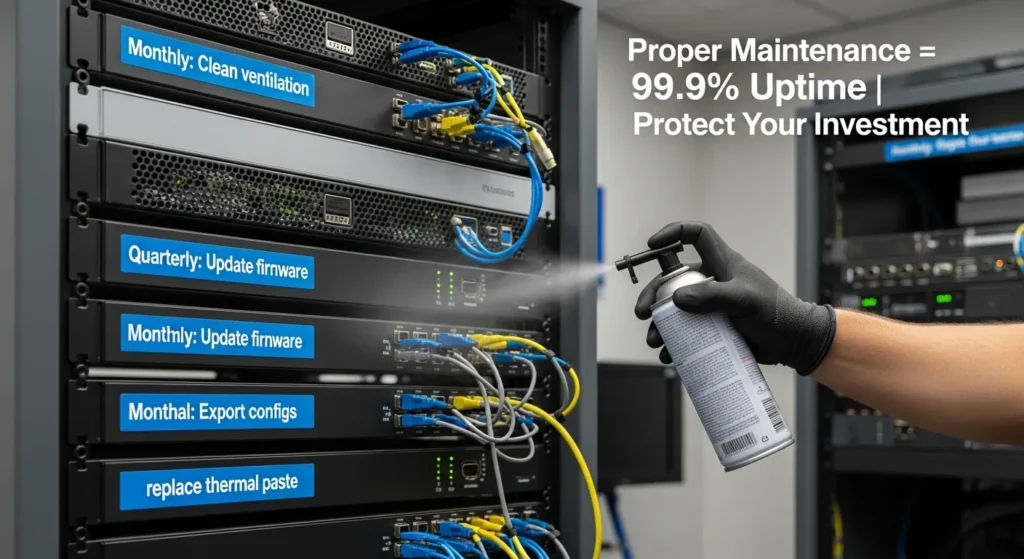
Regular cleaning prevents heat-related problems. Dust accumulation blocks ventilation, forcing encoders to operate at elevated temperatures. Monthly, power down units and use compressed air to clear ventilation slots and fan intakes. This simple maintenance prevents 90% of thermally-induced failures.
Store unused encoders in climate-controlled environments, preferably in original packaging. Quarterly, power up stored units and run test streams for 30-60 minutes—this prevents component degradation during extended unpowered periods.
Before updating firmware, document current version and export configuration backups. Review manufacturer release notes for known issues. Schedule updates during maintenance windows with backup equipment ready. After updating, verify all critical functions—video input detection, stream output, and protocol connectivity.
Export encoder settings monthly and store backups in multiple locations—network storage, cloud storage, and offline documentation. Include network diagrams showing encoder placement. When equipment fails or configurations corrupt, restoration from backup takes minutes versus hours recreating from memory.
Conclusion
Mastering Encoder IPTV technology separates professional streaming operations from amateur attempts. The seven secrets covered—understanding core architecture, optimizing setup efficiency, following proven configuration workflows, benchmarking performance, choosing appropriate technologies, learning from deployment examples, and avoiding common mistakes—provide the foundation for flawless streaming success.
Quality encoding delivers measurable business outcomes: subscriber satisfaction through reliable delivery, operational efficiency from reduced maintenance, and scalability supporting growth without proportional cost increases. Whether you’re broadcasting 24/7 IPTV channels, streaming live events, or deploying enterprise communications, professional-grade hardware encoders prove their value daily.
Ready to upgrade your IPTV broadcast? Try an Encoder IPTV solution today and experience flawless streaming. Your viewers deserve reliable, high-quality content—and you deserve infrastructure that simply works.
FAQs
Q1: What is the difference between Encoder IPTV and IPTV transcoder?
An Encoder IPTV takes raw uncompressed video from sources like cameras or media players and compresses it into IP-ready streaming formats using codecs like H.264 or H.265. An IPTV transcoder takes already-compressed video streams and converts them between different formats, resolutions, or bitrates. Transcoders transform existing encoded content—like changing a 10 Mbps 1080p stream into a 3 Mbps 720p version for mobile delivery. Use encoders when starting from uncompressed sources; use transcoders when adapting existing streams.
Q2: Can one Encoder IPTV stream to multiple platforms at once?
Yes, professional Encoder IPTV units support simultaneous multi-destination streaming. Most mid-range and all high-end encoders offer dual or multiple simultaneous outputs, letting you broadcast to YouTube, Facebook, your proprietary IPTV platform, and backup servers concurrently. Configuration involves specifying multiple destination URLs and stream keys. Some encoders support different bitrates per output—sending high-quality streams to managed networks while delivering bandwidth-optimized versions to public platforms.
Q3: Does Encoder IPTV support 4K streaming?
Modern Encoder IPTV hardware supports 4K streaming, though capabilities vary by price tier. Entry-level encoders under $800 typically max out at 1080p60. Mid-range units ($800-$2,000) handle 4K30 streaming with H.265 compression. High-end professional encoders ($2,000+) process 4K60 streams with H.265 and support 10-bit color depth. Critical consideration: 4K streaming demands substantial bandwidth—approximately 15-25 Mbps for H.265 or 25-40 Mbps for H.264. For many applications, well-encoded 1080p provides excellent quality at fraction of the bandwidth cost.